The Home Security CompanyConnecting You With SafeStreets — an ADT Authorized Provider
ADT Authorized Provider | SafeStreets
Shopping for a new ADT-monitored system? We can help. Already an ADT customer? Please contact ADT directly for service, billing or account support.

SafeStreets · ADT Authorized Provider

Home Security Systems in California

Plan a system around your home, with professional installation by SafeStreets and 24/7 ADT monitoring.

  • Free* equipment — up to $1,200 value
  • California installation starting at $199*
  • Monitoring starting at $49.99/month*

*Minimum $199 installation charge required in California. A 24-month monitoring agreement is required ($1,199.76 at $49.99/month). Early termination fees apply. Offer applies to qualifying homeowners and new ADT Authorized Provider customers only. Full terms below.

New system quotes: 855-532-1019

TheHomeSecurityCompany.com is an independent marketing website connecting you with SafeStreets, an ADT Authorized Provider. Service availability is confirmed for your address.

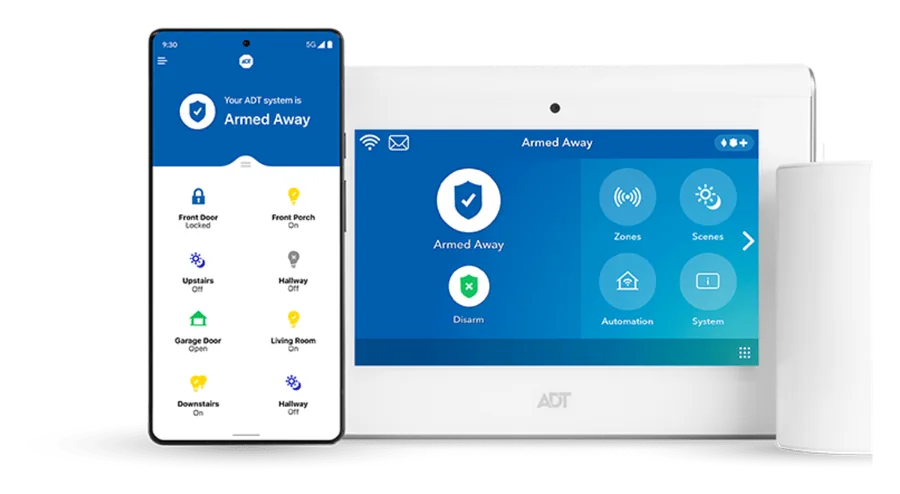
ADT touchscreen panel, mobile app and entry sensors

Check Your California ZIP

No obligation · Takes 60 seconds

For new system quotes only. Already have ADT? Please contact ADT directly for service or account support.

Step 1 of 4

Choose your property type

Step 2 of 4

Choose the size of your property

Step 3 of 4

How many doors do you want to monitor?

Step 4 of 4

Enter your information

Required
Required
Valid email required
Enter a valid 10-digit US phone number
5-digit ZIP required

By clicking “Submit and get your quote”, I authorize Safe Streets USA, LLC (“SafeStreets”), directly or through its affiliates and marketing partners, to contact me by telephone, text, email and/or direct mail about products and services at the number(s) (including cellular) and address(es) I provide, even if listed on any do-not-call or do-not-solicit registry, including calls and texts made using an automated phone dialing system. Consent is not required to make a purchase. Reply STOP to opt out of texts or HELP for help; message and data rates may apply, frequency varies. Privacy Policy · Terms & Conditions.

SSL encrypted · No credit card required

Thank you — request received

A SafeStreets security consultant may contact you shortly to discuss available home security options, eligibility, and next steps.

Submitting this request does not guarantee service availability, approval, installation, pricing, or offer eligibility. Final terms are subject to provider review and availability.

Build around your home

The essentials, with room to personalise

Start with your doors, windows and daily routines. Ask which devices and app features are included before adding optional equipment.

ADT panel with mobile app and entry sensors

Panel & entry sensors

Discuss front and back doors, accessible windows and garage access. The selected equipment should reflect the layout of your property.
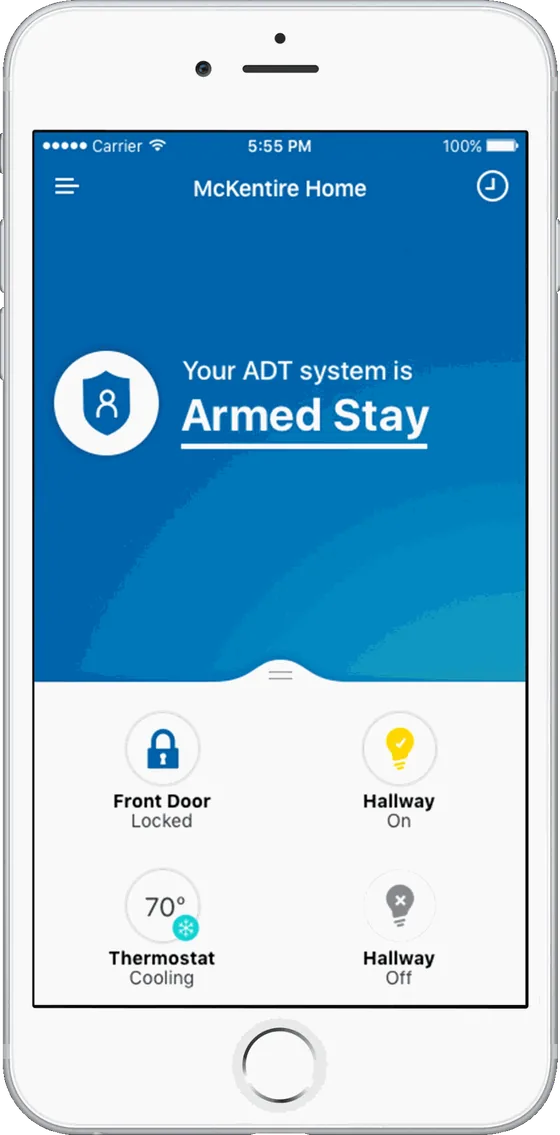
ADT mobile app showing compatible security and smart-home controls

Control from your phone

Ask about remote arming, alerts and compatible smart-home controls. Features depend on your equipment, connectivity and service plan.

Images illustrate equipment options. Exact devices, included features and optional upgrades are confirmed in your quote.

Know the California terms

Look at the full cost before choosing

Your quote should separate installation, equipment and monitoring. These are the starting terms for the advertised offer.

01 / INSTALLATION

From $199*

California has a minimum $199 customer installation charge. Confirm the complete installation price for your selected setup.

02 / MONITORING

From $49.99/month*

The California monitoring agreement is 24 months. At the starting monthly rate, monitoring totals $1,199.76 over that term.

03 / EQUIPMENT

Confirm what is included

The offer includes up to $1,200 in equipment value for qualifying customers. Optional devices or services may add to your quote.

*Installation, optional equipment, applicable taxes, local permit fees and other charges are additional to the monitoring total. Early termination fees and eligibility requirements apply. Read the offer terms.

Explore the home security cost guide →
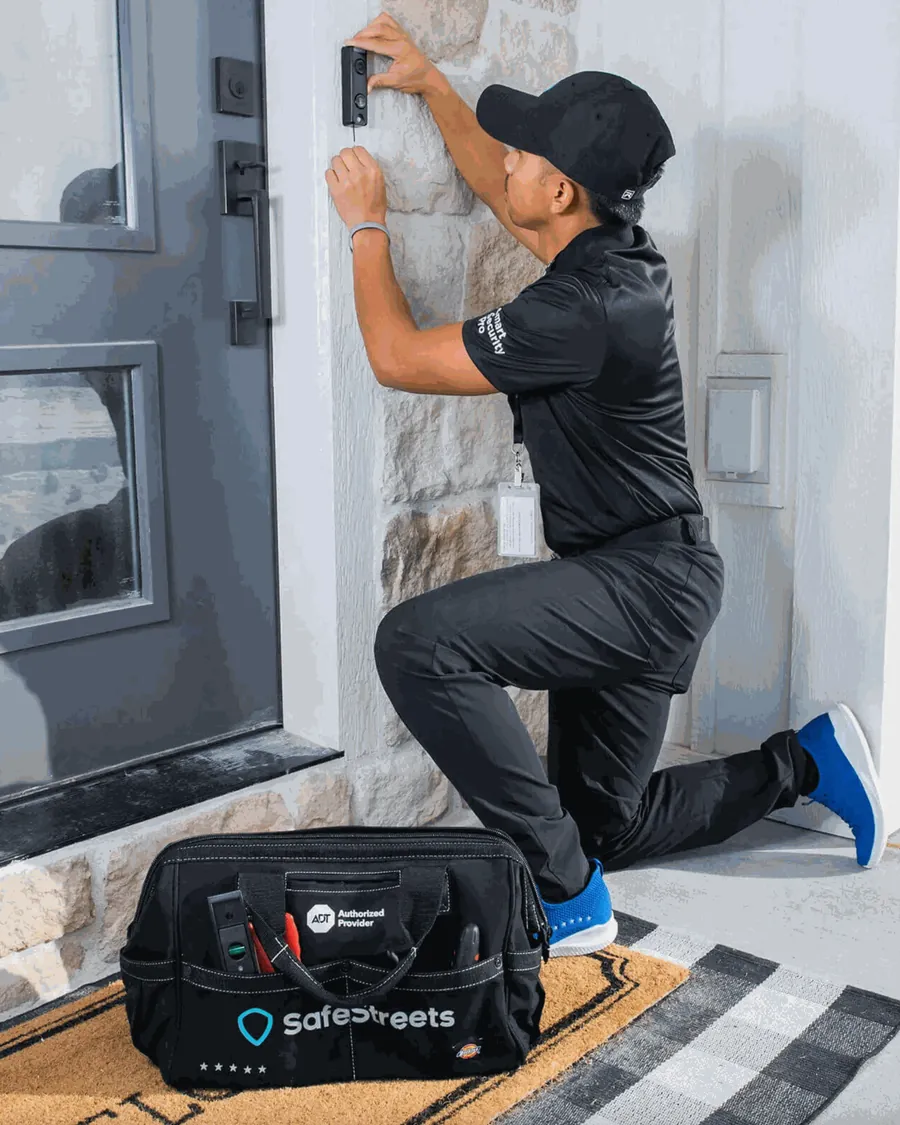
SafeStreets technician installing a doorbell camera

Professional installation

Plan it. Install it. Learn to use it.

  • Discuss your propertyReview entry points, equipment choices and any access or placement restrictions.
  • Install & testA SafeStreets technician installs the agreed equipment and tests the system.
  • Get a walkthroughLearn how to arm and disarm the panel, use supported app features and avoid accidental activations.
See what professional installation involves →
Request an installation quote

Availability by address

Start with your California ZIP

Researching a system in Los Angeles, San Diego, the Bay Area, Sacramento or the Inland Empire? Share your ZIP so SafeStreets can check options for your address.

Los Angeles areaSan Diego areaBay AreaSacramento areaInland Empire

These are examples of areas visitors may be researching, not a guarantee of coverage. Equipment availability, scheduling and eligibility require provider confirmation.

Check my ZIP

A setup that fits the property

  • Single-family homesDiscuss accessible windows, side gates and doors connecting the home and garage.
  • Townhomes & condosCheck permission and any association rules for exterior equipment and shared areas.
  • Detached spacesAsk about equipment range and connectivity before including a detached garage or accessory dwelling unit.

California homeowner resources

Three checks before installation

Your installation address determines the local authority to contact. State licensing and local alarm permits are separate checks.

01 / COMPANY LICENCE

Check the business

Use California’s official BSIS verification page and select “Alarm Company.” Match the business name and licence information to the company on your agreement.

BSIS licence lookup →
03 / YOUR AGREEMENT

Read before signing

Review equipment, the installation charge, recurring payments, cancellation terms and support contacts. California’s consumer guide explains what to check when choosing an alarm company.

BSIS consumer guide (PDF) →

Outside these cities, contact the city or county responsible for your property. Requirements and fees can change; use the official source for current details.

Plan for everyday use

Questions worth asking about your setup

Power and internet interruptions

Ask which parts of your selected system have battery backup, whether cellular alarm communication is included, and how long backup operation is expected to last. Confirm camera and app limitations separately from alarm signalling.

Outdoor placement and shared spaces

Discuss sun exposure, lighting, Wi-Fi reach and the equipment’s operating limits. For shared entrances or association-managed property, confirm installation permissions before agreeing to exterior devices.

Comparing your quote with other options

Compare the same equipment, monitoring functions, installation scope and agreement length. This site connects you with one provider option: SafeStreets, an ADT Authorized Provider. Our guide to comparing home security companies explains the questions to ask.

Common questions

California home security FAQs

Is professional home security installation available at my California address?
Submit your ZIP with your quote request so SafeStreets can confirm service availability, equipment options and installation scheduling. Availability is address-specific; this page does not guarantee coverage throughout California.
How much does installation cost in California?
A minimum $199 customer installation charge applies in California. The advertised offer has a general installation range of $99–$299, with the California minimum applying. Confirm the full installation and equipment charges in your written quote.
How long is the monitoring agreement in California?
The advertised offer requires a 24-month monitoring agreement in California, starting at $49.99 per month ($1,199.76 over 24 months). Installation and other applicable charges are additional. Early termination fees and other terms apply.
Do I need a local alarm permit?
Check with the city or county responsible for your installation address. Los Angeles and San Diego have their own alarm-permit programs. Registration, renewal, fees and false-alarm procedures depend on the local jurisdiction; use the official resources linked on this page.
How can I check an alarm company’s California licence?
Use the California Bureau of Security and Investigative Services licence-verification page and select Alarm Company. Match the legal business name and licence information to the company on your installation agreement.
Will my system work during a power or internet outage?
Ask SafeStreets to confirm battery backup, cellular connectivity and their limitations for the equipment and monitoring plan in your quote. Do not assume that cameras, app access and alarm signalling all remain available during an outage.
What does the free equipment offer include?
Qualifying homeowners may receive up to $1,200 in equipment value with the required installation charge and monitoring agreement. Confirm the included devices with SafeStreets. California requires a minimum $199 installation charge and a 24-month monitoring agreement starting at $49.99 per month. Optional equipment and services may cost extra.
Is this website ADT customer service?
No. TheHomeSecurityCompany.com is an independent marketing website connecting consumers with SafeStreets, an ADT Authorized Provider, for new systems. Existing ADT customers should contact ADT directly for service, billing or account support.

Your next step

Get a quote for your California home

Explore a new ADT-monitored system through SafeStreets. Confirm your equipment, installation price and monitoring terms before deciding.

Request my free quote

New systems only · No obligation · Subject to provider review