
What Makes a Home Security System “Smart”?
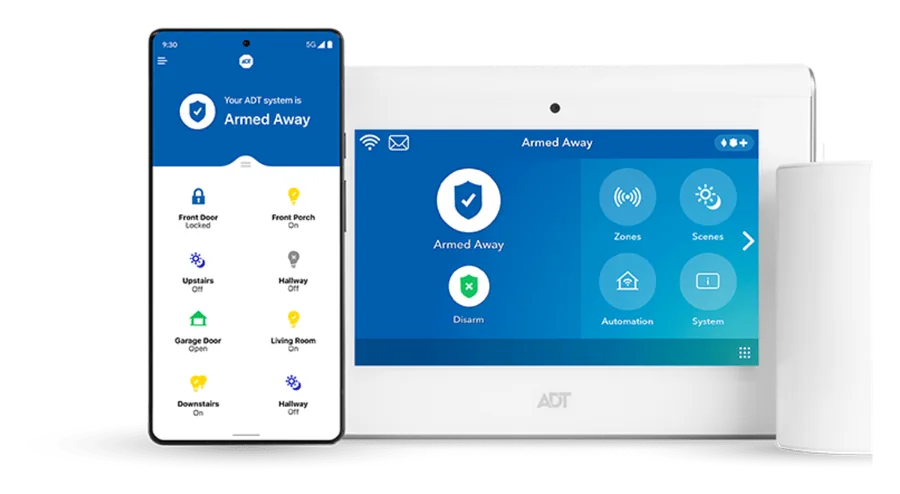
A smart home security system connects security equipment with app-based control and compatible automation. Instead of managing a collection of unrelated gadgets, you can bring key security functions together and control supported devices from one place.
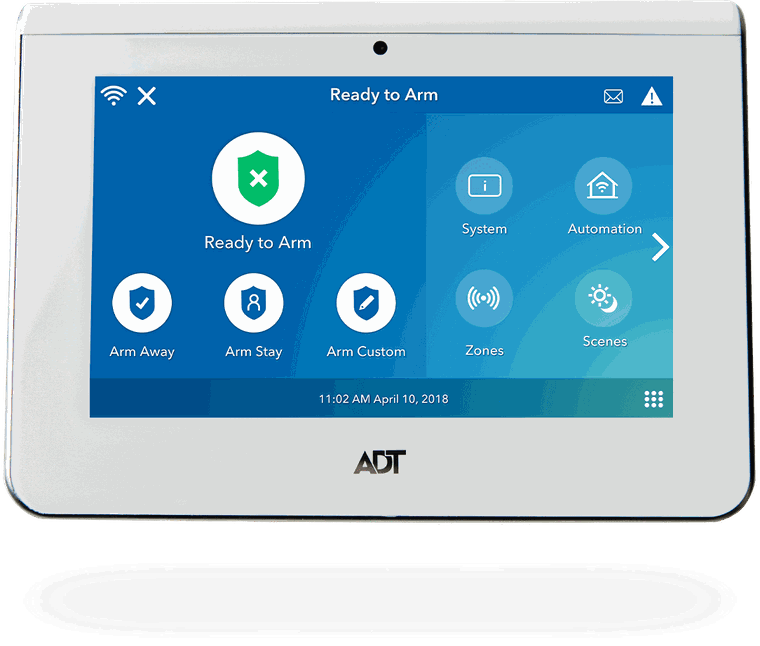
Arm & disarm remotely
Check system status and control supported security functions from your phone when app access is included.
Receive alerts
Stay informed about supported system events without needing to be standing at the control panel.
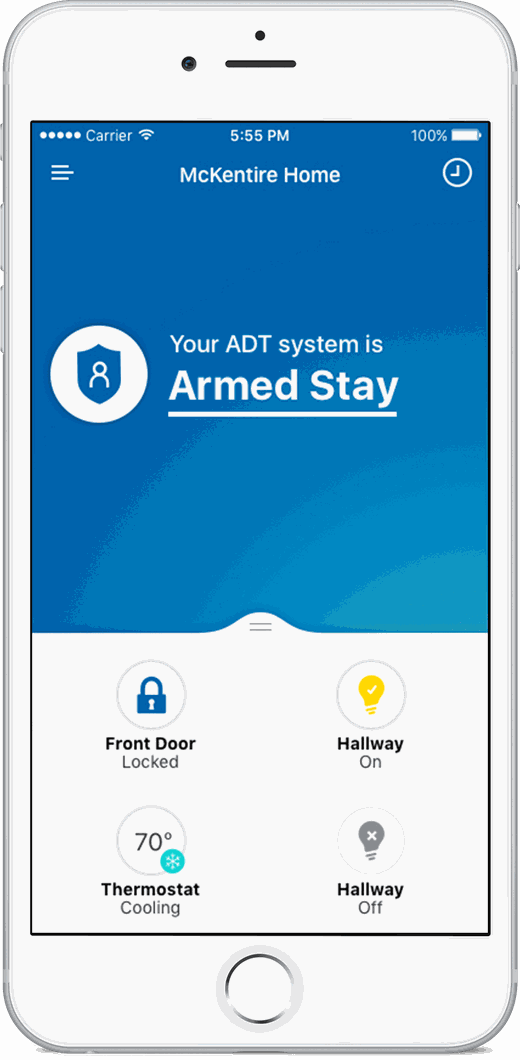
Manage compatible locks
Smart-lock options can add keyless entry and remote lock or unlock control when included in the system.
Control supported automation
Compatible thermostat and automation options can extend the system beyond intrusion protection.
Smart Security Is Useful When You Are Away From Home
The app becomes a remote control for supported parts of the system. Depending on the equipment and plan, you may be able to check security status, arm or disarm, receive alerts, manage compatible locks and view supported cameras.
Smart Home Security Equipment Options
Your final system should match the entrances, rooms and routines that matter in your home. Available equipment can vary, but a connected system may combine core security devices with compatible smart-home controls.
Door & window sensors
Monitor key entry points and add the basic detection layer of a home security system.
Motion detection
Interior motion detection can add another layer of coverage for selected spaces.
Smart door locks
Compatible smart locks can add codes, keyless entry and supported remote control.
Video doorbell
Doorbell-camera options can help you see and respond to activity at the front door.
Security cameras
Indoor and outdoor camera options can extend visibility around the property.
Smart thermostat
Compatible thermostat options can bring temperature control into the connected-home experience.
A Smart System Works Better When It Is Set Up as One System
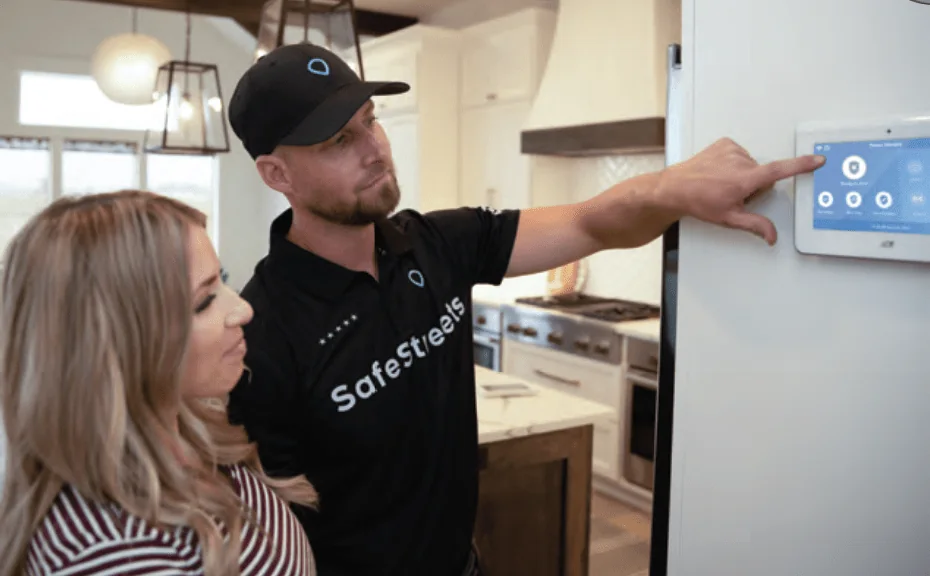
Smart-home features are only useful when the devices, app and security system are configured correctly. SafeStreets uses professional installation for the ADT-monitored systems promoted on this site.
Plan the coverage
Review entrances, high-traffic areas, camera positions and the smart-home features you actually want.
Install the devices
A technician places and connects the selected equipment according to the approved system design.
Connect the controls
Supported app and automation controls are configured so the system can be managed as intended.
Test and explain
The technician tests the installed system and walks you through the controls before leaving.
Integrated Security or Standalone Devices?
A video doorbell or smart lock can be useful on its own. A smart home security system is different because multiple devices can be connected to the same security setup and, when applicable, backed by professional monitoring.
Integrated smart home security
- Professional monitoring: eligible alarm events can be handled through the monitoring plan.
- One security setup: sensors, app controls and compatible smart devices are designed to work together.
- Professional installation: technician setup reduces the amount of placement, pairing and testing you need to do yourself.
- Single quote: equipment, installation and monitoring terms can be reviewed together before purchase.
Standalone smart devices
- Self-managed: alerts may depend mainly on you seeing and responding to the notification.
- Separate apps: devices from different brands may require different apps or subscriptions.
- DIY setup: placement, Wi-Fi, pairing and troubleshooting may be your responsibility.
- Flexible purchasing: individual gadgets can be added gradually without buying a monitored system.
Neither approach is automatically right for every household. If your priority is a professionally installed system with 24/7 monitoring plus compatible smart controls, an integrated monitored system is the more relevant comparison.
Smart Features Do Not Replace Professional Monitoring
App alerts are useful, but they still depend on you noticing your phone. A professionally monitored system adds a trained monitoring process for eligible alarm events while still giving you supported smart-home controls.

What Does a Smart Home Security System Cost?
There is no single smart-home price because the final cost depends on the monitoring plan, professional installation, the amount of core security equipment and any camera or automation upgrades you choose.
| Cost factor | What changes the price |
|---|---|
| Monitoring plan | Monthly pricing depends on the selected monitoring and feature level. Smart-home and video functionality may require a higher plan than basic monitored security. |
| Professional installation | Installation charges vary by offer, property and state. California has different minimum installation terms in the current offer promoted on this site. |
| Security equipment | The number of doors, windows, motion areas and other security points affects the final system design. |
| Smart devices & video | Smart locks, cameras, video doorbells, thermostats and other compatible options can change equipment and monthly costs. |

Who Benefits Most From Smart Home Security?
Smart features are most valuable when they solve a real daily need rather than simply adding more devices.
People away from home regularly
Remote status, alerts and supported camera or lock controls can make it easier to stay connected while working or traveling.
Households with multiple users
Connected controls can make day-to-day access and security management easier when several people use the home.
Homeowners who want one integrated system
A professionally installed monitored setup may be simpler than managing a collection of unrelated security and automation products.
Smart Home Security FAQ
What can I control from a smart home security app?
Supported features can include arming or disarming the system, checking status, receiving alerts, viewing compatible cameras and controlling certain connected devices such as smart locks or thermostats. Exact features depend on the equipment and plan.
Can a smart security system include a video doorbell?
Video doorbell options are available with some connected security packages. Availability, camera features, recording options and monitoring integration should be confirmed in the current quote.
Can I add a smart lock or thermostat?
Compatible smart-lock and thermostat options may be available. The technician or security consultant should confirm compatibility, installation requirements and current pricing for the selected system.
Does smart home security still work if I miss an app alert?
Professional monitoring is separate from simply receiving an app notification. Eligible alarm events on a professionally monitored system follow the monitoring process defined by the selected plan.
Is professional installation included?
The SafeStreets offer promoted on this site uses professional installation for new ADT-monitored systems. Charges, availability, equipment and final terms are subject to provider review and ZIP availability.
How do I get a smart home security quote?
Use the quote form on this page or call 855-532-1019. TheHomeSecurityCompany.com connects qualifying consumers with SafeStreets, an ADT Authorized Provider. Existing ADT customers should contact ADT directly for service or account support.
Build a Smarter, Professionally Monitored Security System
Check current SafeStreets equipment, smart-home options, professional installation and ADT monitoring availability for your ZIP code.
Get Your Free Quote 855-532-1019